We built the avatar "Momo" from a single AI-generated illustration (front-facing, head-and-shoulders, transparent background), ran the full agent pipeline — rig drafting, layer building, motion review, drawn variants — and captured every stage. This is what the workflow actually looks like.
The editor, mid-build
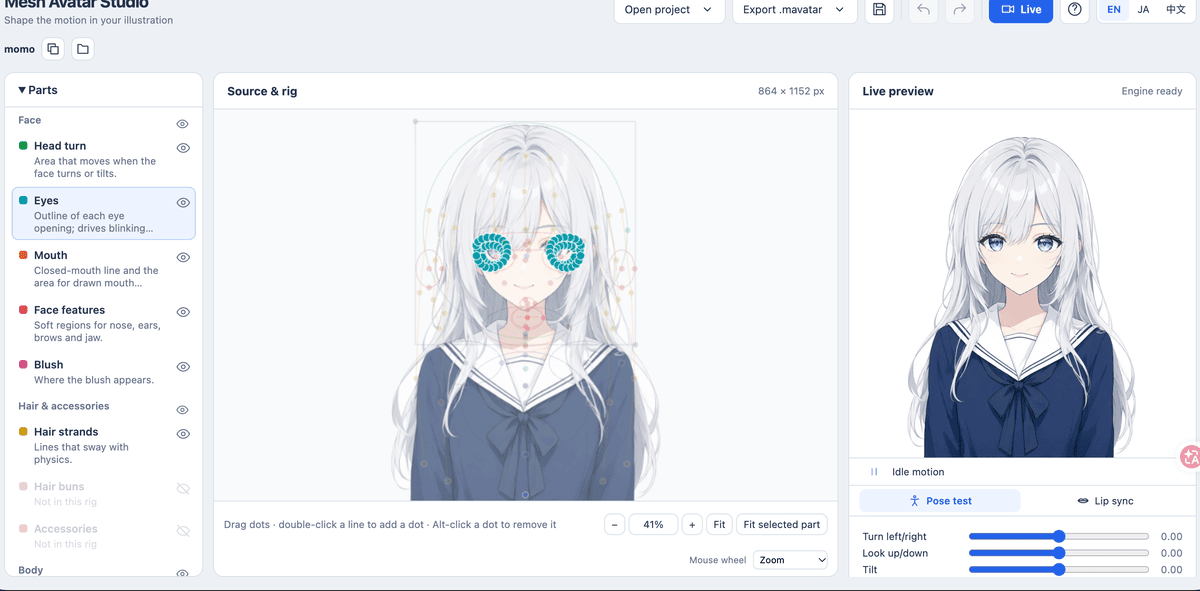
The left panel lists every rig part (head turn, eyes, mouth, hair strands, body); dots on the illustration are dragged to adjust placement; the right side previews live motion while you edit.
Live: driven by face and voice
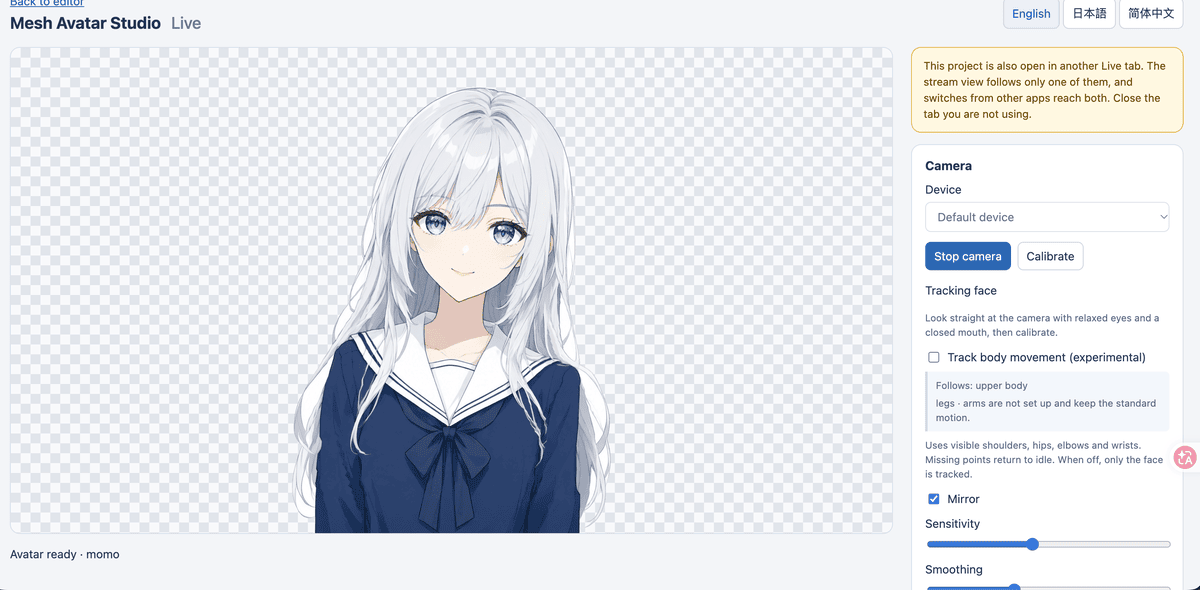
The Live page runs face tracking and microphone lip sync locally in the browser — mirror, sensitivity and smoothing controls on the left, calibration and the OBS stream URL on the right.
Why drawn variants matter
With mesh deformation alone, a closed eye keeps faint lash-line remnants, and expressions like surprise barely change the face. Adding drawn variants — extra eye and mouth drawings — gives one clean lash line per blink and genuinely different expressions. It is the single biggest visible quality jump in the whole pipeline, and the step most beginners skip. We tested it end-to-end with an image model instead of Codex: see drawn variants without Codex.
How Momo was made (10 minutes, no drawing skills)
- One illustration. Generated with an AI image model using a strict spec: front-facing, head-and-shoulders, large uncovered eyes, closed mouth, transparent background. The spec matters more than art quality.
- Agent rigging. A coding agent read the illustration on coordinate grids and drafted the full rig — head ellipse, eye openings traced inside the lashes, mouth line, nine hair strands, body — checking its own work with overlay renders at each step.
- Layer build + motion review. The builder cut the illustration into animation layers; 64 fixed review poses verified turning, blinking, mouth opening and hair sway before we touched anything.
- Drawn variants. Eleven additional eye and mouth drawings (closed, half, smiling eyes; vowel mouths; expression eyes) generated by an image model and imported automatically.
The full walkthrough with every command: how to create your avatar. Curious what happens inside the agent? See how the coding agent actually works.